
As an Apple Music user, this guide primarily focuses on that platform, however, a couple of tips are universal.
I originally published this guide as an update to my article Apple AirPods Worth It 2022.
Option 1 - Change Application EQ Settings
I found that bass on the AirPod Pros can be increased via an EQ option in the settings of the Apple Music app. 'Rock' provides the best sound experience, with deep enough bass without overwhelming the vocals. A simple change has elevated the experience, making the AirPod Pros desirable. I highly recommend buying them, especially while they're discounted on sale.
I subscribe to Apple Music, other music apps may require a different process.
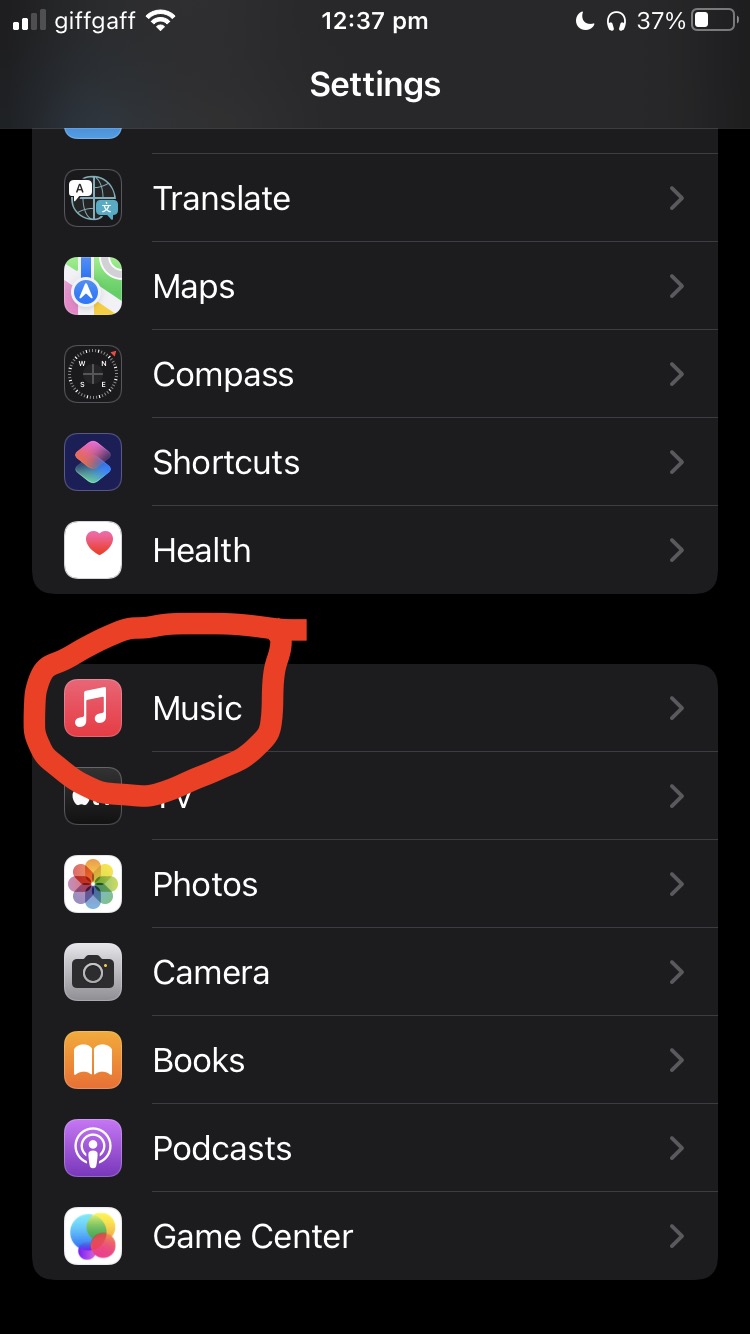

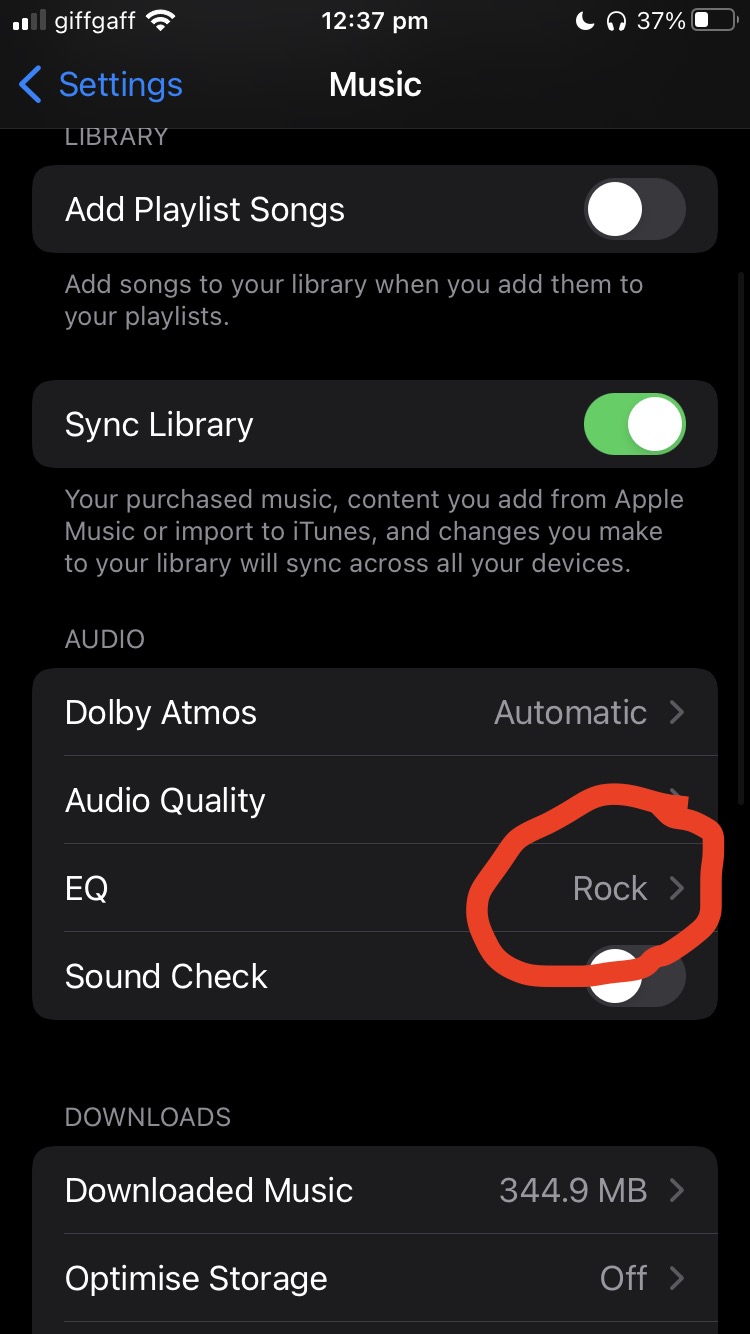
To change EQ settings for Apple Music on an iPhone go to Settings > Music > EQ and then choose from a large selection of pre-defined Equalizer options.
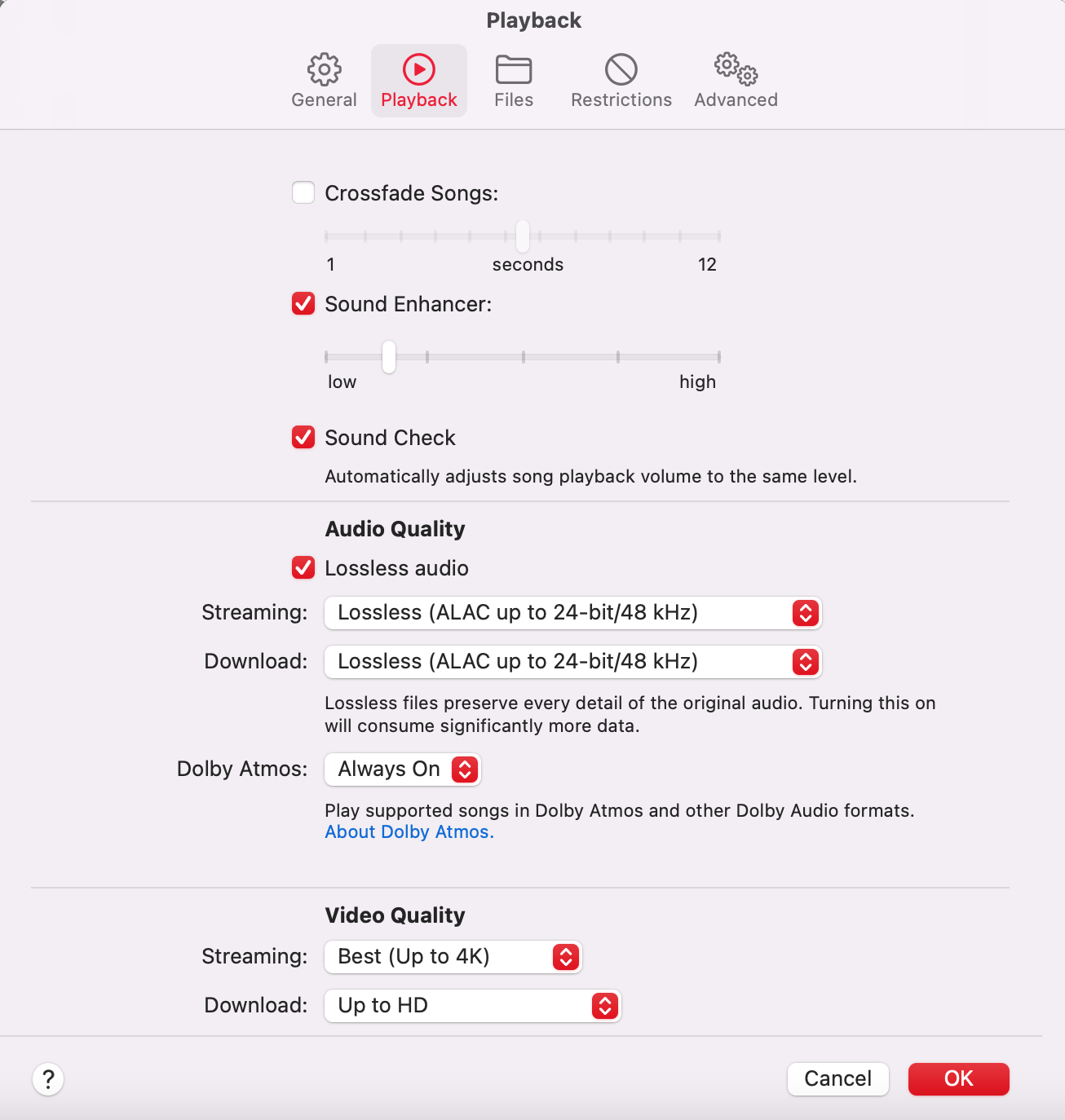
To change EQ settings for Apple Music on a MacBook or iMac open the Music application and go to the menu bar > Music > Preferences > Sound Enhancer enable the function and move the marker along the bar for a customised sound experience - Lower has heavier bass and higher increases trebles for vocals.
Option 2 - Disable ANC
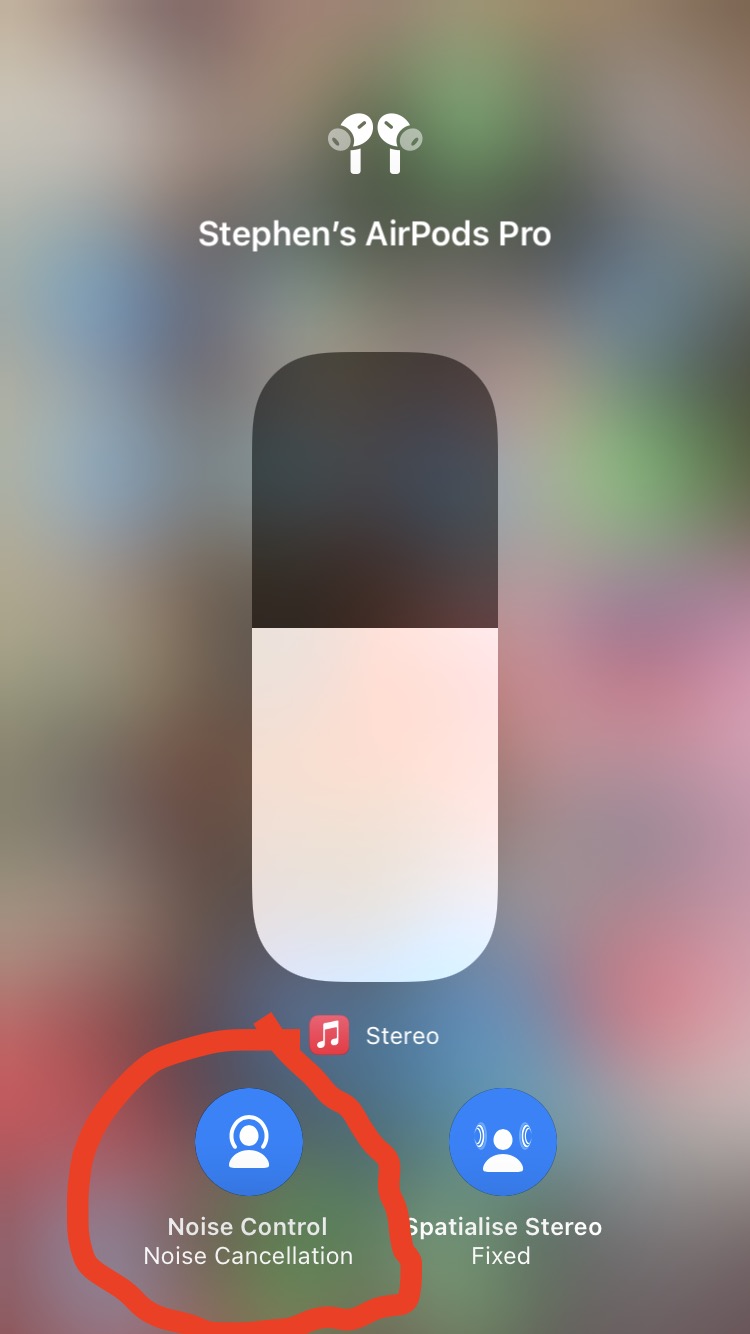

Disabling the Active Noise Cancellation can also improve audio quality, but there would be no blocking of external sounds, much like old-style, wired earbuds. If the music is loud enough external noises wouldn't be heard anyway, but I prefer to keep Active Noise Cancellation enabled. The improvement without is only minor and not worth disabling. However, by not using it, you could gain an extra 30 mins of listening time.
Option 3 - Accessibility Settings
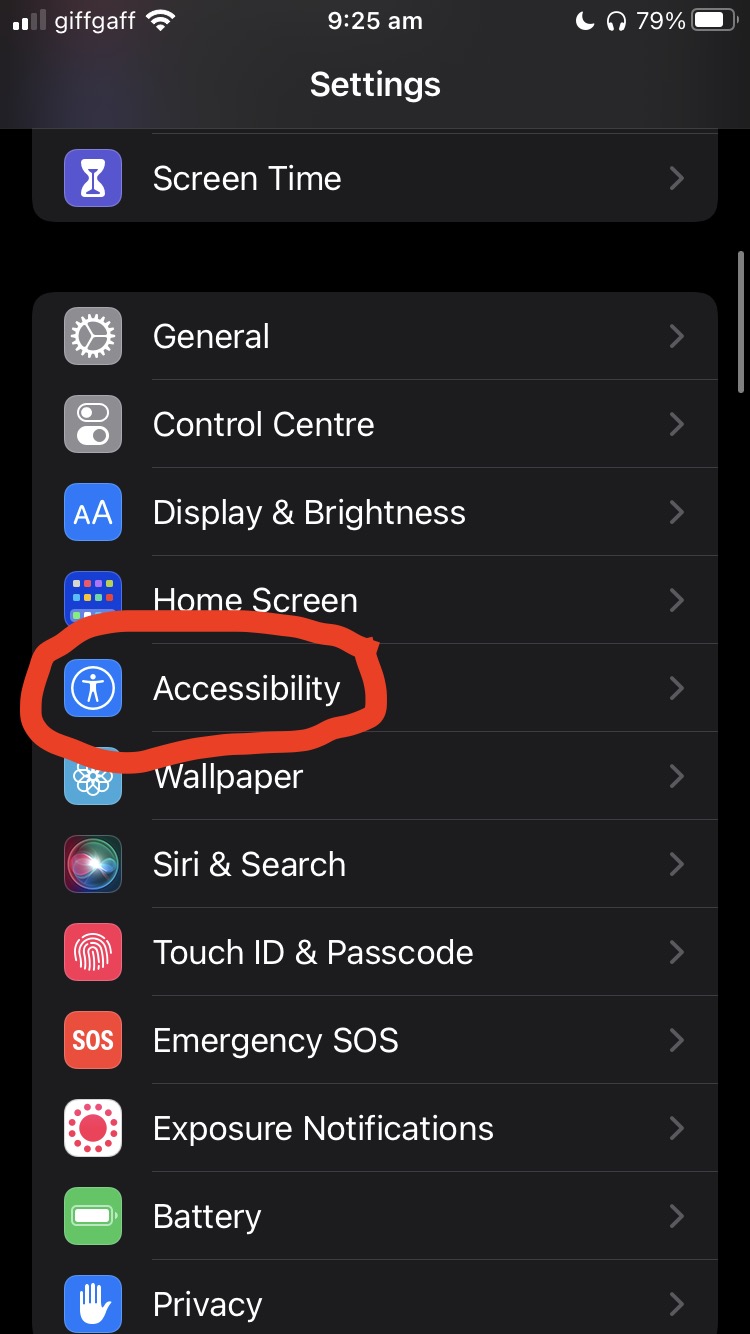
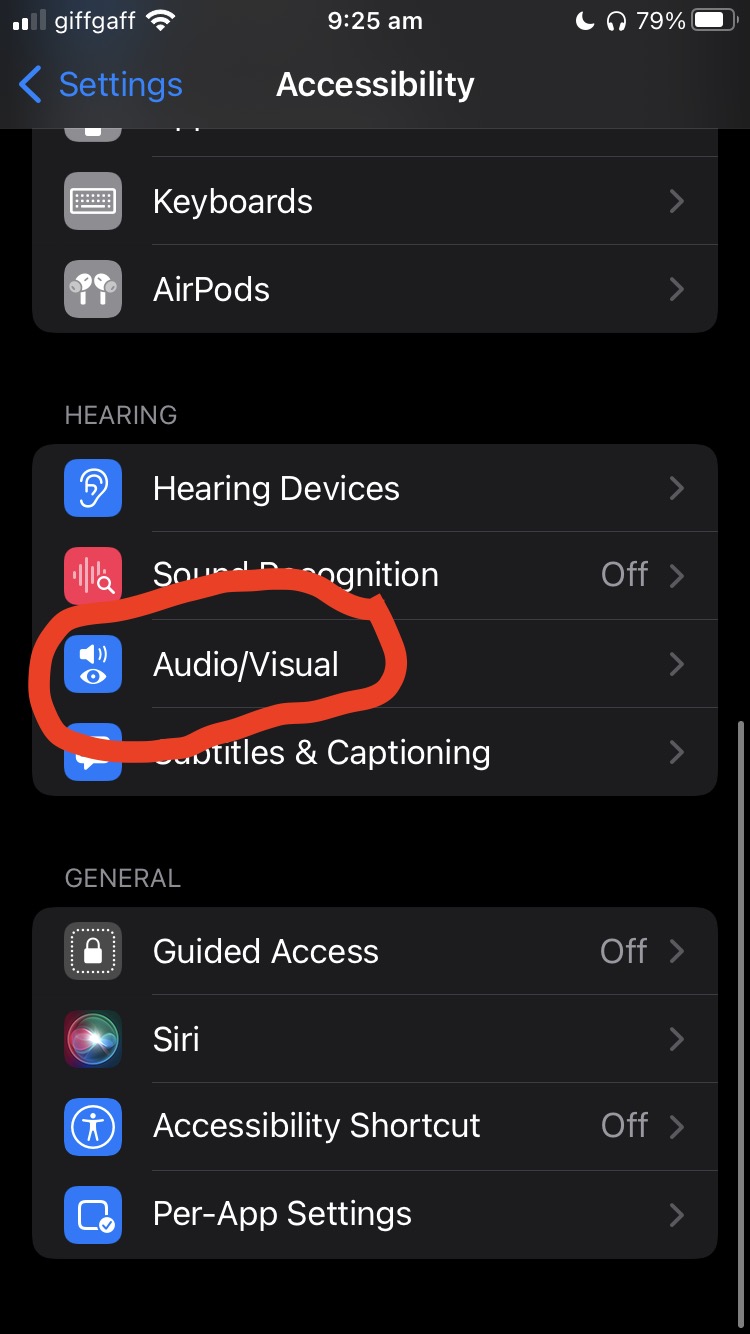
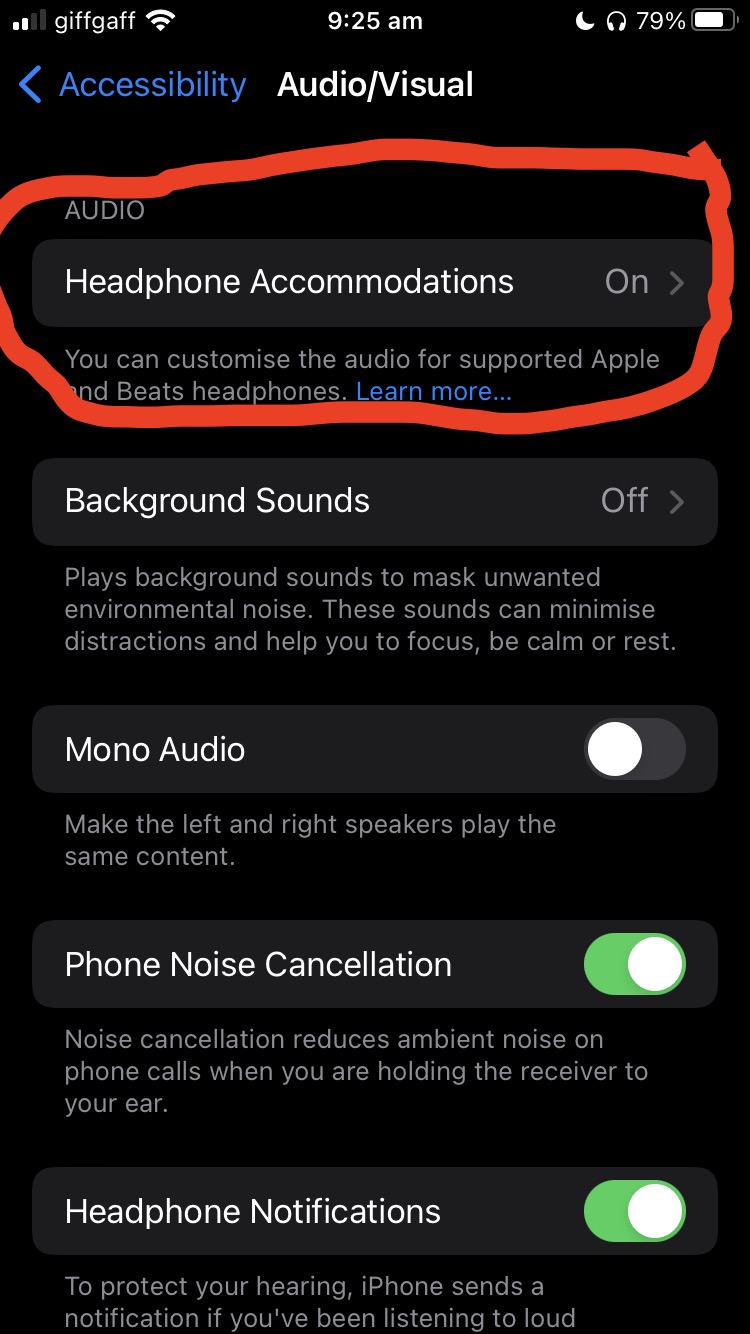
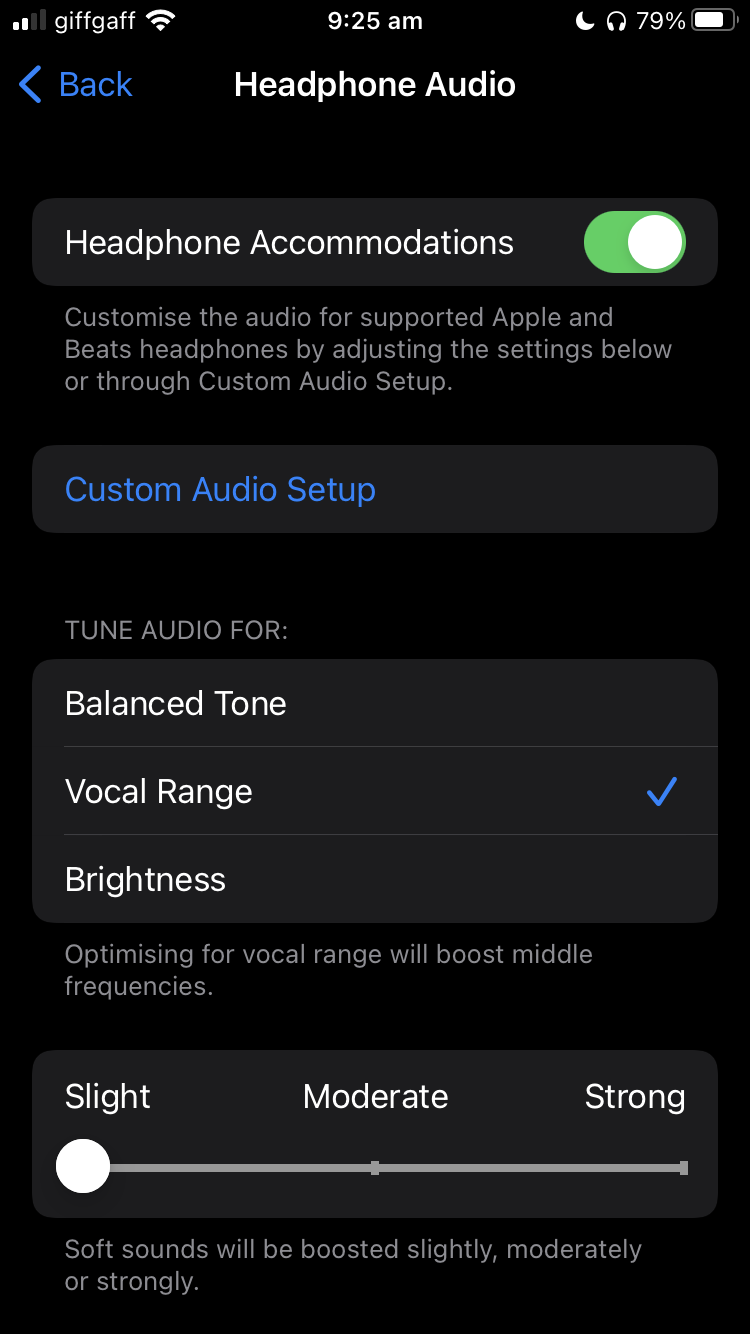
On iPhones go to -> Settings > Accessibility > Audio/Visual > Headphone Accommodations. Enable the feature and then either choose 'Vocal Range' to make vocals more pronounced, or select 'Custom Audio Setup' to delve deeper into a customised audio experience.
While either option improves the listening experience, by utilising multiple options the user experience can be customised and enhanced.
I recommend option 1 and selecting 'Rock' and using option 3 and selecting 'Vocal Range'. This elevates the AirPod Pros to reach their full potential.